

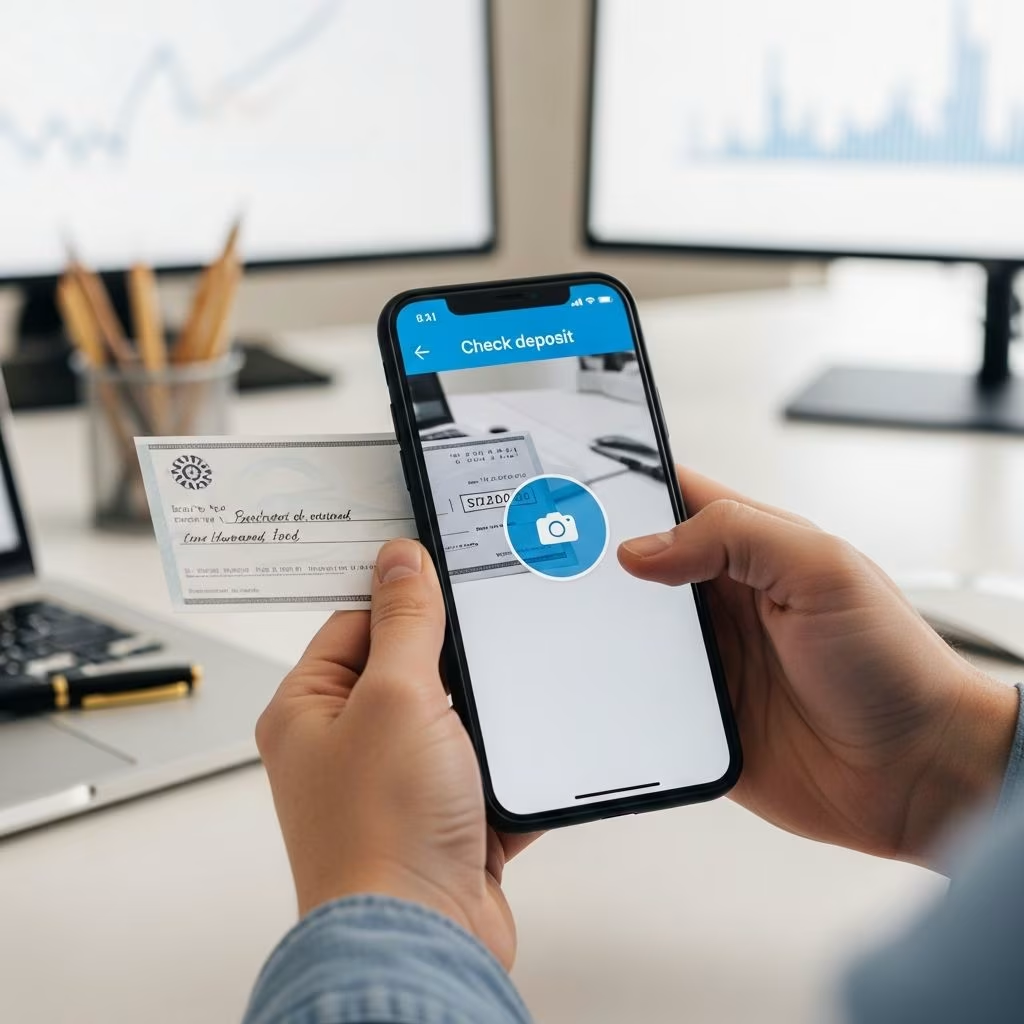
Depositing checks without visiting a bank branch has become straightforward thanks to mobile banking technology. This method, known as mobile check deposit or remote deposit capture, allows users to snap photos of checks using their smartphone’s camera and submit them directly through a banking app. Major institutions like Bank of America, Capital One, Wells Fargo, and Navy Federal Credit Union offer this service, making it accessible for everyday banking needs.
Why Choose Online Check Deposits?
Remote check depositing saves time and eliminates the need for trips to ATMs or branches, especially useful for those with busy schedules or living far from banking locations. Funds often become available the next business day, with immediate confirmation of submission provided by most apps. This feature supports 24/7 access, enhancing convenience while maintaining security through encryption.
- Skip lines and travel to deposit anytime.
- Receive real-time processing notifications.
- Track deposit history within the app.
- Ideal for checking or savings accounts.
Preparing Your Check for Digital Deposit
Before starting, ensure the check is eligible: it must be made payable to you, properly endorsed, and not damaged. Most banks require writing “For Mobile Deposit Only” on the back below your signature to prevent duplicate deposits. Verify the amount in both numeric and written forms matches exactly.
| Check Preparation Step | Details |
|---|---|
| Endorsement | Sign your name on the back. |
| Restriction Note | Add “For Mobile Deposit Only” or bank-specific phrase like “For Mobile Deposit Only at NFCU”. |
| Condition Check | Ensure check is flat, undamaged, and legible. |
| Payee Verification | All payees must sign if multiple. |
Step-by-Step Guide to Depositing Checks Remotely
The process is consistent across major banks but tailored to each app. Here’s a generalized walkthrough based on common practices.
- Download and Log In: Install your bank’s official app from the app store and sign in securely.
- Locate Deposit Feature: Tap “Deposit,” “Deposits,” or “Check Deposit” from the home screen or bottom navigation.
- Select Account: Choose the checking or savings account to credit the funds.
- Enter Amount: Input the exact check amount and optional memo.
- Capture Images: Position the check on a dark surface in bright light. The app auto-captures front and back photos when aligned.
- Review and Submit: Double-check details, then confirm. Get instant processing notice.
For first-time users, some apps require enrollment by accepting terms.
Best Practices for Crystal-Clear Check Photos
Photo quality determines approval speed. Poor images lead to rejections or delays.
- Flatten the check on a contrasting dark background.
- Ensure even lighting without shadows or glare.
- Capture all edges fully within the frame.
- Hold steady; apps often auto-focus and snap.
- Review for legibility before submitting.
Using cellular data or secure home Wi-Fi enhances reliability over public networks.
Understanding Deposit Limits and Availability
Banks impose limits to manage risk. Daily caps range from $5,000 to $50,000, with per-check and monthly aggregates. New accounts may have lower thresholds. Funds availability varies: provisional credit same day, full access next business day, subject to holds for large amounts or fraud checks. Contact your bank for specifics.
| Bank Example | Daily Limit Insight |
|---|---|
| Navy Federal | Up to $50,000/day. |
| Capital One | App shows max per deposit. |
| General | Typically $2,000-$5,000 for new users. |
Boosting Security During Mobile Deposits
Mobile deposit uses encryption for safe transmission, with bank verification preventing alterations. Best practices include:
- Download apps only from official stores.
- Use biometric login or strong PINs.
- Avoid public Wi-Fi; prefer private networks.
- Delete non-app photos of checks immediately.
- Keep physical checks 2-7 days post-deposit for disputes.
No fees apply for standard use at most banks.
Frequently Asked Questions (FAQs)
Can I deposit any check type online?
Most personal and business checks qualify if endorsed properly, but money orders or traveler’s checks may not.
How long until funds are available?
Processing confirmation is instant; funds generally next business day, longer for exceptions.
What if my deposit is rejected?
Common reasons: blurry photos, mismatched amounts, or improper endorsement. Resubmit or visit a branch.
Are there fees for this service?
Typically no for eligible accounts.
What if I exceed the deposit limit?
Use branch/ATM for larger amounts or request limit increases.
Common Mistakes to Avoid
Avoid these pitfalls for seamless deposits:
- Forgetting the mobile deposit endorsement.
- Submitting low-quality images.
- Depositing over limits unknowingly.
- Discarding checks too soon.
- Using unsecured networks.
Alternatives When Mobile Deposit Isn’t Possible
If ineligible, options include ATM deposits, mailing checks, or in-branch service. Some apps allow desktop uploads, but mobile remains most convenient.
Maximizing Your Mobile Banking Experience
Combine check deposits with bill pay, transfers, and alerts for full digital control. Regularly update apps for security patches. This evolution in banking empowers users with flexibility.
References
- How to Deposit a Check with Bank of America Mobile Banking App — Bank of America. 2025-04-04. https://www.youtube.com/watch?v=LpLrSUn4zcU
- What is mobile check deposit and how to use it — Bankrate. (Recent, within 24 months). https://www.bankrate.com/banking/facts-everyone-should-know-about-mobile-check-deposit/
- How to Use Mobile Banking to Deposit Checks — Provident Bank. (Recent). https://www.youtube.com/watch?v=OfANUzfYS78
- Mobile Check Deposits — Navy Federal Credit Union. (Official source). https://www.navyfederal.org/services/mobile-online-banking/mobile-deposits.html
- Deposit Checks Online with Mobile Deposit — Capital One. (Official). https://www.capitalone.com/bank/mobile-check-deposit/
- Mobile Check Deposit — SmartBank. (Official). https://www.smartbank.com/digital-banking/mobile-banking/mobile-check-deposit/
- Mobile Deposit – Remote Deposit – Deposit by Phone — Wells Fargo. (Official). https://www.wellsfargo.com/mobile/apps/mobile-deposit/
This article is general information, not personal financial advice. Consider your own situation, or speak with a licensed adviser, before acting on it.


