

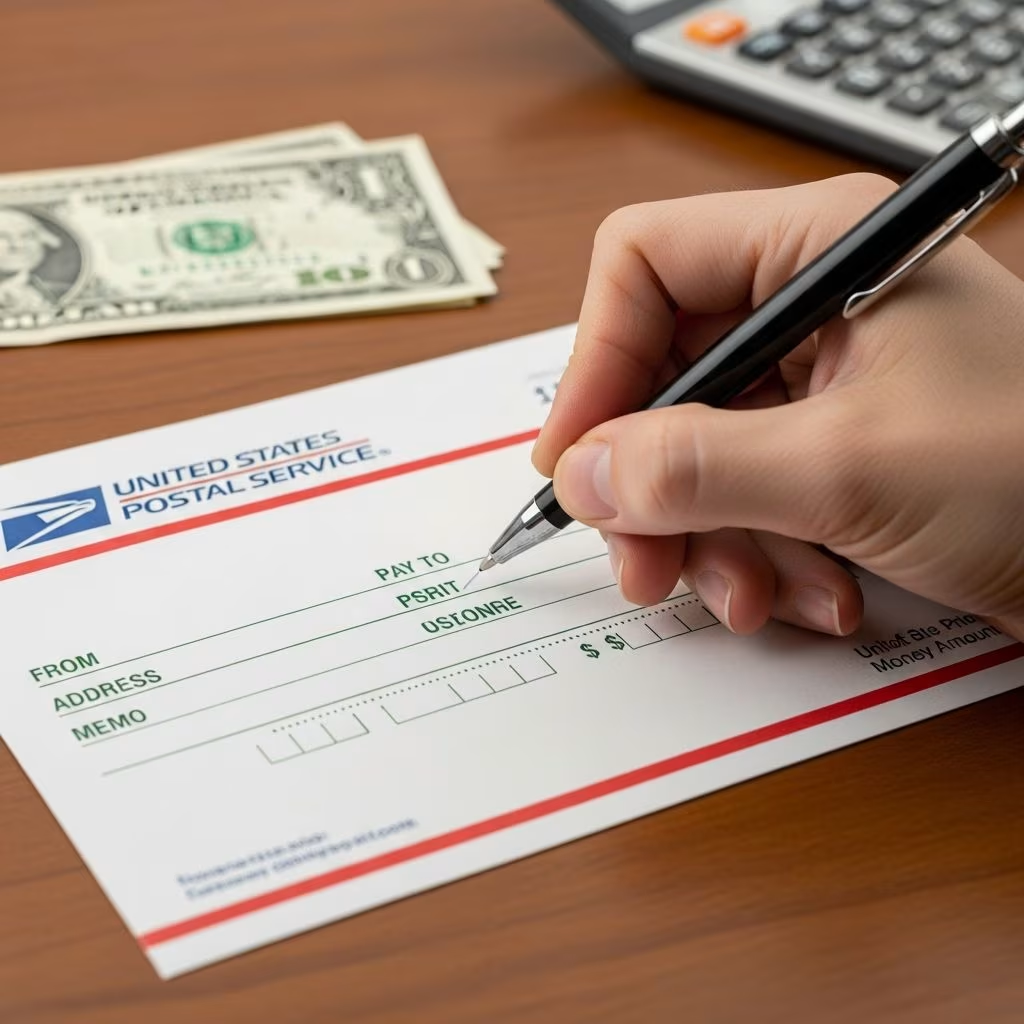
Money orders provide a secure alternative to cash or personal checks for payments like rent, bills, or gifts. Unlike checks, they are prepaid and guaranteed by the issuer, reducing fraud risks. This guide walks you through every aspect, from preparation to completion, ensuring your transactions go smoothly.
Understanding Money Orders and Their Benefits
Money orders are financial instruments purchased for a specific amount, payable to a designated recipient. They are available from post offices, banks, and retailers, with limits typically up to $1,000 per order. Key advantages include nationwide acceptance, no need for a bank account, and protection against loss or theft when receipts are retained.
Common issuers like USPS, Western Union, and MoneyGram offer tracking features. Fees range from $1 to $5, depending on the provider and purchase method. They are ideal for those without checking accounts or when mailing payments.
Preparing to Buy and Fill a Money Order
Before purchasing, determine the exact amount needed. Bring cash, debit card, or traveler’s checks—personal checks are often not accepted. Identify the full legal name of the recipient, spelled precisely as on their ID. If paying a bill, note the account number. Decide on the issuer based on location and fees: USPS for domestic reliability, banks for convenience.
- Verify recipient details: Full name and any business legal name.
- Gather your info: Current address and phone for purchaser section.
- Check limits: Split large amounts into multiple orders if over $1,000.
- Select ink pen: Use black or blue to prevent alterations.
Buy at the counter where staff can assist if needed, and fill it out immediately to minimize theft risk.
Step-by-Step Instructions for Completion
Follow these precise steps applicable to most money orders from USPS, MoneyGram, or bank issuers.
Step 1: Enter the Payee’s Full Name
Locate the line labeled “Pay to the Order Of,” “Payee,” or “Pay to.” Write the recipient’s complete legal name clearly in ink. This designates who can cash or deposit it—errors here can delay or prevent redemption. For businesses, use the exact registered name, e.g., “ABC Rentals LLC.” Complete this first upon purchase.
Step 2: Complete the Purchaser Information
In the section marked “From,” “Purchaser,” “Remitter,” or “Sender,” add your full name and current address. This aids contact if issues arise and creates a record. Some forms request city, state, ZIP, and phone—include all. Do not use the recipient’s address here.
| Field | Example Entry | Purpose |
|---|---|---|
| Purchaser Name | John Doe | Identifies sender |
| Address | 123 Oak St, Anytown, CA 90210 | Contact info |
| Phone (if required) | (555) 123-4567 | Verification |
Step 3: Specify Your Account Number or Memo
If paying a utility or loan, enter the account number in the “Memo,” “Re:” or dedicated line. This links payment to your record. For personal use, note purpose like “January rent” for clarity. Omit if not applicable.
Step 4: Write the Exact Amount
Most money orders have the amount pre-printed from purchase, but confirm and add in words if there’s a blank line (e.g., “Five Hundred Dollars”). Numerical fields should match. Double-check for accuracy to avoid discrepancies.
Step 5: Provide Your Signature
Sign in the “Purchaser’s Signature” area on the front, typically at the bottom. Use your legal signature—do not sign the back, reserved for the payee. This authorizes the order.
Step 6: Detach and Retain the Receipt
Keep the stub or receipt, which contains a tracking number. This is crucial for replacement if lost or stolen—most issuers refund with proof within 1-2 years.
Visual Guide: Sample Money Order Layout
Imagine a standard form: Top has payee line, middle purchaser details and memo, bottom signature and amount. Always review for issuer-specific variations, like Western Union requiring extra security features.
Handling Specific Scenarios
Paying Bills or Rent
Include account number prominently. Mail via certified service for proof. Recipients like landlords prefer them for security.
Sending Internationally
USPS international money orders support over 170 countries, up to $700. Check restrictions and add sender details fully.
Multiple Recipients
Issue separate orders; do not write “or” between names, as it may invalidate.
Frequent Mistakes and Prevention Tips
- Incorrect spelling: Verify names twice to match ID.
- Using pencil: Always ink for permanence.
- Wrong address: Purchaser’s only, never recipient’s.
- No receipt kept: Essential for claims.
- Signing back: Front only for purchaser.
Fill promptly in a safe location. If errors occur pre-signature, request a replacement—post-signature changes are impossible.
What to Do If Something Goes Wrong
Lost or stolen? Contact issuer with receipt for refund or replacement, fees apply (~$15). Damaged? Same process. Undelivered mail? USPS holds for 30 days. Report fraud immediately to issuer and authorities.
Alternatives to Traditional Money Orders
| Method | Pros | Cons | Best For |
|---|---|---|---|
| Cashier’s Check | Bank-backed, higher limits | Requires account, fees | Large payments |
| Digital Transfers (Zelle, Venmo) | Instant, free | Needs accounts, scam risks | Peers |
| Prepaid Debit | Convenient reload | Fees, not universal | Daily use |
| Wire Transfer | Fast international | High fees | Urgent abroad |
Choose based on recipient acceptance and security needs.
Cost Breakdown by Provider
- USPS Domestic: $2.10 max $500; $2.85 over.
- Western Union: $0.99-$5.15.
- Banks (e.g., Chase): $5, free for premium accounts.
FAQs
Whose address goes on a money order?
Your address as the purchaser, in the designated section.
Do I sign both sides?
No—sign front only; recipient signs back to cash.
Can I buy online?
No, must purchase in person.
What if I make a mistake?
Don’t erase; get issuer replacement before signing.
How long to cash a money order?
Typically 1-2 years from issue date.
Best Practices for Secure Use
Track via receipt numbers online. Use certified mail. Avoid carrying blank orders. Educate recipients on endorsement. For high-value, consider insured options.
References
- How to Fill Out a Money Order Step-by-Step — NerdWallet. 2023. https://www.nerdwallet.com/banking/learn/how-to-fill-out-money-order
- How to Fill Out a Money Order — Huntington Bank. 2024. https://www.huntington.com/learn/checking-basics/how-to-fill-out-money-order
- How to Do a Money Order Correctly: A Step-by-Step Guide — Remitly. 2023. https://www.remitly.com/blog/finance/how-to-do-a-money-order-step-by-step-guide/
- How to Fill Out a Money Order — Experian. 2024. https://www.experian.com/blogs/ask-experian/how-to-fill-out-a-money-order/
- Money order: how to do it and money limit — Western Union. 2023. https://www.westernunion.com/blog/en/fill-money-order/
- How To Fill Out A Money Order Step-By-Step — Bankrate. 2024. https://www.bankrate.com/banking/how-to-fill-out-a-money-order/
- How to Complete a Money Order — Chase Bank. 2024. https://www.chase.com/personal/banking/education/basics/how-to-fill-out-a-money-order
- Sending Money Orders — USPS. 2025. https://www.usps.com/shop/money-orders.htm
This article is general information, not personal financial advice. Consider your own situation, or speak with a licensed adviser, before acting on it.


