

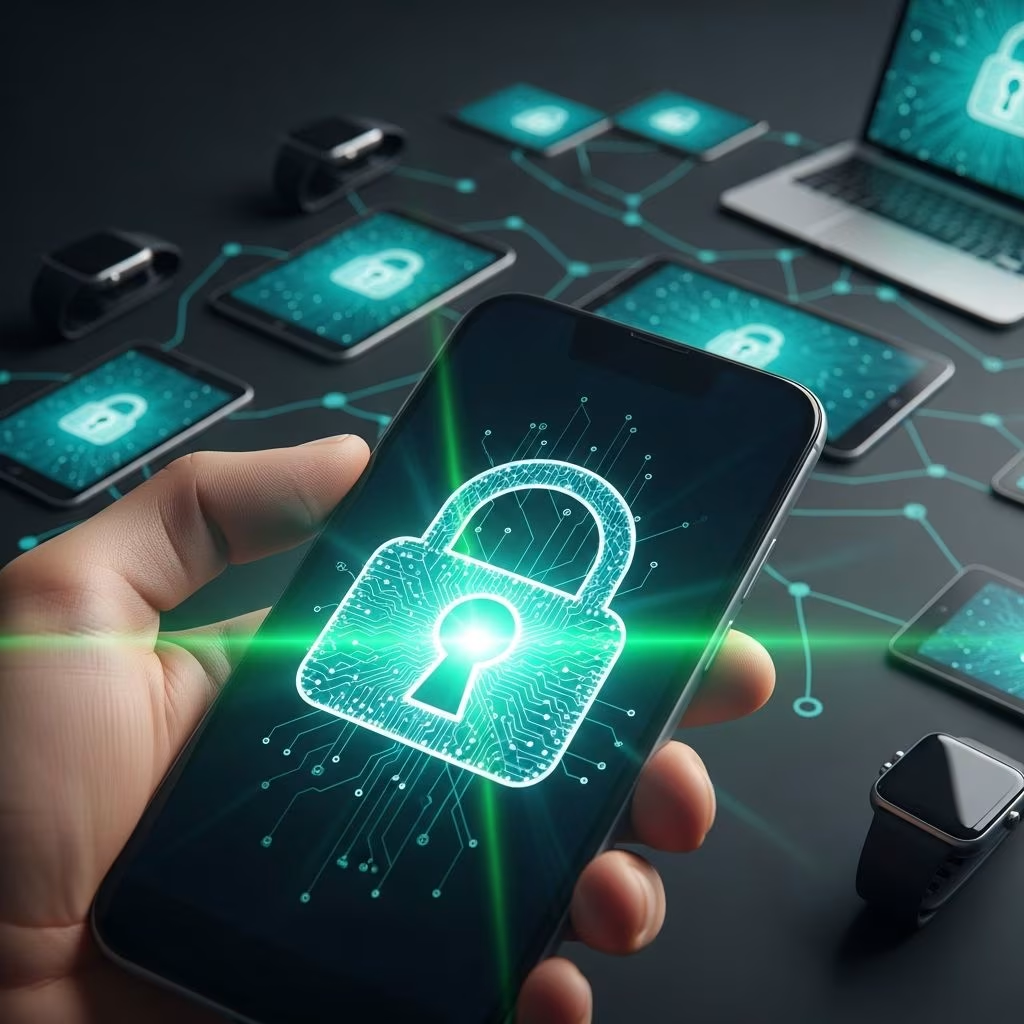
In today’s interconnected world, safeguarding personal and professional data demands more than just a strong password. Multi-factor authentication (MFA) emerges as a critical defense, requiring users to provide two or more verification forms before accessing accounts or systems. This layered approach dramatically cuts the risk of unauthorized entry, even if credentials fall into the wrong hands.
Understanding the Foundations of Multi-Factor Authentication
MFA builds on the principle of verifying identity through diverse evidence types, categorized into three main groups: knowledge factors like passwords or PINs, possession factors such as smartphones or security keys, and inherence factors including biometrics like fingerprints or facial scans. By demanding at least two from different categories, MFA creates a robust barrier against single-point failures.
Unlike single-factor methods reliant solely on passwords, which are vulnerable to theft via phishing or data breaches, MFA ensures comprehensive checks. For instance, entering a correct password triggers a secondary step, like approving a notification on a registered device, confirming the user’s physical presence.
Key Advantages Driving MFA Adoption
Organizations and individuals increasingly turn to MFA for its proven effectiveness. Microsoft reports it blocks 99.9% of automated attacks, while studies show it thwarts 96% of bulk phishing and 75% of targeted ones.
- Fortified Defense Layers: Even compromised passwords require additional hurdles, slashing breach risks.
- Phishing Resistance: Attackers capturing login details still need the second factor, often impossible remotely.
- Regulatory Alignment: Meets standards like GDPR, HIPAA, and PCI DSS, aiding compliance.
- Swift Threat Detection: Suspicious logins trigger alerts for rapid response.
- User Confidence Boost: Enhances trust by visibly prioritizing data protection.
These benefits extend to enabling secure digital transformations, allowing confident online transactions without heightened exposure.
Exploring MFA Verification Methods
MFA methods vary in convenience and security, letting users select based on needs. Here’s a breakdown:
| Method | Type | Pros | Cons |
|---|---|---|---|
| SMS Codes | Possession | Universal access via phone | SIM swap vulnerabilities |
| Authenticator Apps (TOTP) | Possession | Offline codes, no network needed | App loss requires recovery |
| Push Notifications | Possession | Quick tap approval | Device dependency |
| Hardware Security Keys | Possession | Phishing-proof, durable | Physical loss, cost |
| Biometrics (Fingerprint/Face ID) | Inherence | Fast, hard to replicate | Privacy concerns, spoofing risks |
Time-based one-time passwords (TOTP) from apps like Google Authenticator refresh every 30 seconds, adding dynamism. Hardware keys, such as YubiKey, excel in high-stakes environments by resisting remote exploits.
Step-by-Step Guide to Implementing MFA
Enabling MFA is straightforward across platforms. Start by logging into account settings, locating security options, and selecting MFA enrollment.
- Choose Provider: For email like Gmail, navigate to Security > 2-Step Verification.
- Select Method: Opt for app-based over SMS for superior security.
- Scan QR Code: Use an authenticator app to link the account.
- Backup Setup: Save recovery codes in a secure offline spot.
- Test Access: Log out and verify the process works.
For enterprises, integrate MFA with zero-trust models, assessing device health and context alongside factors. Tools like AWS or Microsoft Azure simplify scalable deployment.
Overcoming Common MFA Hurdles
Despite strengths, MFA faces challenges like user resistance or method weaknesses. SMS remains prone to interception via SIM swapping, prompting shifts to app-based or hardware options.
Strategies for Smooth Adoption:
- Offer method variety to match user preferences.
- Employ risk-based prompts only for anomalies.
- Integrate single sign-on (SSO) to minimize prompts.
- Trust familiar devices to skip repeats.
- Provide setup tutorials and support.
Addressing password fatigue, MFA lessens reliance on memorizing complex strings, blending security with usability.
Advanced MFA in Enterprise Environments
Businesses amplify MFA within broader frameworks. Combining it with contextual analysis—like location or behavior—creates adaptive security. For example, unusual IP addresses trigger biometrics alongside tokens.
Compliance benefits shine: MFA fulfills mandates, reducing audit burdens while protecting sensitive data. It also accelerates incident response via real-time alerts on failed attempts.
Future Trends Shaping MFA Evolution
MFA continues advancing with passwordless options like FIDO2 standards, using public-key cryptography for seamless biometrics or keys. Passkeys, stored on devices, promise phishing immunity and cross-platform sync.
AI-driven risk engines will refine prompts, balancing security and friction. As threats evolve, MFA’s adaptability ensures enduring relevance.
Frequently Asked Questions (FAQs)
What if I lose access to my MFA device?
Recovery codes or alternate methods, pre-configured during setup, restore access. Contact support as a last resort.
Is MFA foolproof against all attacks?
No, but it stops 99.9% of automated threats; vigilance against social engineering remains essential.
Does MFA slow down logins?
Modern implementations like push notifications add seconds, often feeling faster than password typing.
Can I use MFA on all accounts?
Most major services support it; prioritize high-risk ones like email and banking first.
What’s the difference between MFA and 2FA?
2FA uses exactly two factors; MFA generalizes to two or more.
Essential Best Practices for MFA Success
To maximize protection:
- Enable everywhere possible, starting with critical accounts.
- Prefer app TOTP or hardware over SMS.
- Secure backup codes offline.
- Monitor for suspicious prompts.
- Educate on phishing recognition.
By embedding MFA routinely, users fortify their digital footprint against pervasive threats.
References
- What Is Multifactor Authentication (MFA)? Benefits & Challenges — Zscaler. 2025. https://www.zscaler.com/zpedia/what-is-multifactor-authentication-mfa
- 10 Benefits of Multi-Factor Authentication (MFA) — SuperTokens. 2025. https://supertokens.com/blog/benefits-of-multi-factor-authentication
- What is Multi-Factor Authentication? – MFA Explained — AWS. 2025. https://aws.amazon.com/what-is/mfa/
- What is Multifactor Authentication (MFA) and Why Should You Use It? — StaySafeOnline. 2025. https://www.staysafeonline.org/articles/multi-factor-authentication
- What Is Multifactor Authentication (MFA): Definition and Benefits — Slack. 2025. https://slack.com/blog/productivity/what-is-multifactor-authentication-mfa-definition-and-benefits
- MFA Explained: Definition, How It Works & Benefits — Descope. 2025. https://www.descope.com/learn/post/mfa
- What is: Multifactor Authentication — Microsoft Support. 2025. https://support.microsoft.com/en-us/topic/what-is-multifactor-authentication-e5e39437-121c-be60-d123-eda06bddf661
This article is general information, not personal financial advice. Consider your own situation, or speak with a licensed adviser, before acting on it.


