

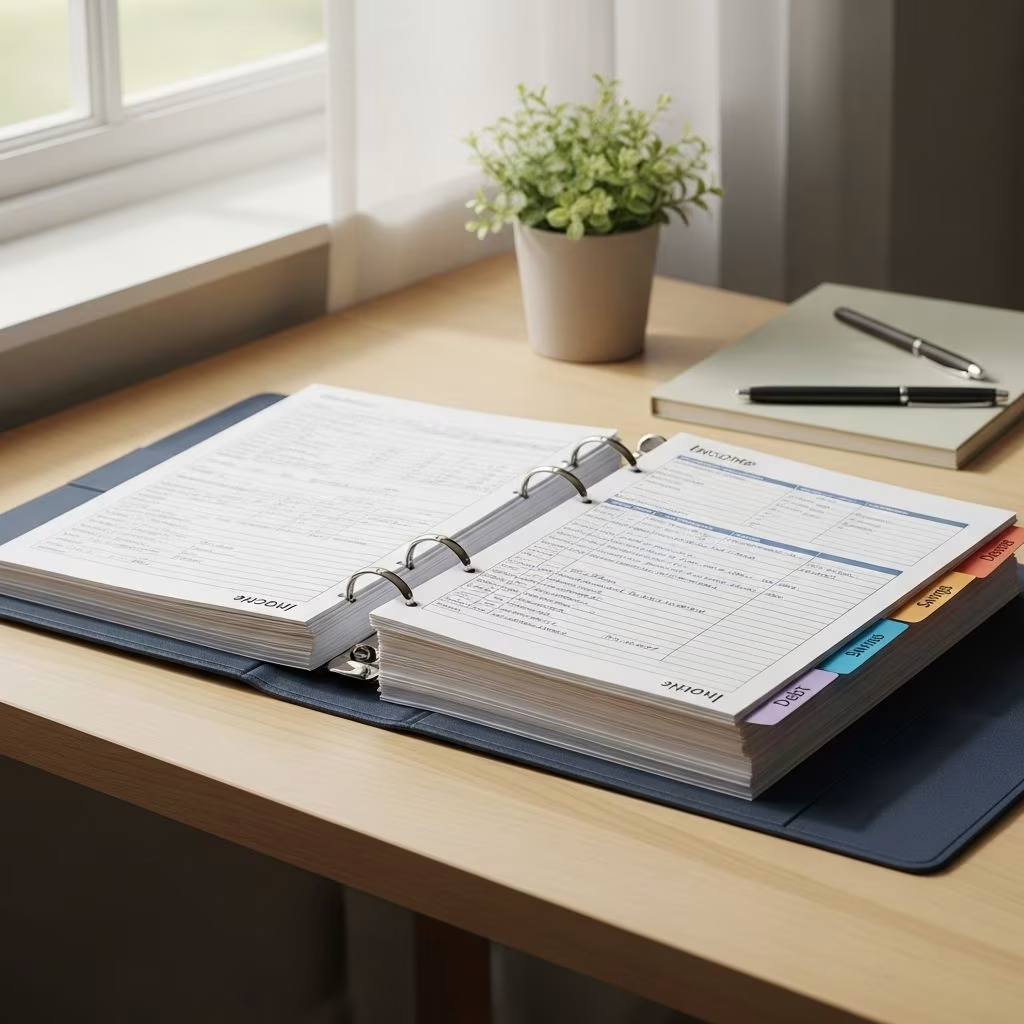
A well-designed budget binder can transform how you manage money by putting your goals, numbers, and plans in one place you can see and update regularly. It turns budgeting into a simple, repeatable routine instead of a stressful guessing game.
Below, you will learn what a budget binder is, how it works with a zero-based budgeting approach, what pages to include, and the exact steps and supplies you need to build your own system at home.
What is a budget binder?
A budget binder is a physical money management system that gathers your budget, bills, goals, and tracking sheets into a single binder. Think of it like a day planner, but specifically for your finances.
Most people use a budget binder with a zero-based budgeting method, where every dollar of income is assigned a specific job (spending, saving, or debt repayment) so that income minus planned outgo equals zero.
Key features of a budget binder
- Visible and tangible: You can open it, flip through, and visibly see where your money is going.
- Customizable: You can tailor it to weekly, biweekly, or monthly paychecks and bill cycles.
- Goal-focused: It keeps your saving, debt payoff, and other financial goals in front of you.
- Flexible: You can add, remove, or rearrange pages as your life changes.
How a budget binder supports zero-based budgeting
Zero-based budgeting means you plan in advance where every dollar will go before the month or pay period starts. A binder helps you:
- Write out all income for the month or pay period.
- List every expense category (fixed and variable).
- Assign a specific amount to each category.
- Track actual spending and adjust as needed.
When you check in weekly and monthly, you can see whether your plan matches reality and tweak your next budget accordingly.
Why a budget binder can help you reach your money goals
Many people know they should budget, but digital tools feel overwhelming or easy to ignore. A budget binder solves that by being physical, visual, and intentionally designed around your goals.
Keep your financial goals front and center
Your binder can include a dedicated section for money goals, both long-term and short-term. Research on goal setting suggests that writing goals down and making them specific and time-bound increases the likelihood of achieving them.
Examples of goals you might track in your binder:
- Long-term goals: Down payment on a home, paying off student loans, retirement contributions, or funding a child’s education.
- Short-term goals: Saving for holidays, vacations, back-to-school costs, or building a small emergency buffer.
Alongside the goals, you can add mini trackers that show your progress, such as coloring in boxes as you save or pay down debt.
Align spending with your values
By tracking monthly and weekly spending in your binder, you can compare where your money actually goes with what you say you value. This kind of reflection is a core part of financial wellness programs.
For example, if you say you value saving for a home but your spending tracker shows frequent impulse purchases, your binder gives you concrete evidence you can act on.
Weekly and monthly check-ins
Your budget binder is designed for regular check-ins so you always know what is happening with your money.
- Weekly check-ins: Update your spending logs, record any unexpected bills, and see if you are staying on track with each category.
- Monthly check-ins: Close out one month by comparing planned vs. actual spending, then create your budget for the next month based on what you learned.
These check-ins can also include setting a simple focus goal for the month, such as a no-spend challenge on non-essentials or a commitment to pay extra on debt.
Essential pages for your budget binder
A good budget binder is more than a stack of numbers. It is a mix of planning pages, tracking sheets, and reflection prompts. Below are core pages to include.
1. Goal pages
Goal pages help you outline and track your financial priorities. Each goal page might include:
- Goal description: What you are trying to achieve.
- Target amount: The total you want to save or the debt balance you want to pay off.
- Deadline or timeline: When you aim to reach it.
- Monthly or weekly contribution: How much you plan to put toward the goal.
You can create separate pages for goals like emergency savings, specific debts, or large purchases. Many financial education programs encourage people to treat savings as a fixed “bill” in their budget, and a goal page helps solidify that habit.
2. Monthly budget worksheet
The monthly budget page is where you plan your money before the month begins. A typical layout includes sections for income, expenses, and totals.
| Section | What to include |
|---|---|
| Income | Salary, side hustle income, benefits, child support, and any other predictable income sources. |
| Fixed expenses | Rent or mortgage, utilities, insurance, minimum debt payments, subscriptions, and other regular bills. |
| Variable expenses | Groceries, fuel, personal spending, entertainment, eating out, and other flexible categories. |
| Savings & extra debt payments | Emergency fund, sinking funds, retirement contributions (if you track them here), and extra payments toward debt. |
To follow a zero-based budget, you continue assigning dollars until your income minus all planned categories equals zero. You can also add columns for Planned and Actual amounts so you can compare at the end of the month.
3. Expense pages
An expense sheet helps you keep track of regular and recurring bills as well as variable costs.
On a recurring expenses page, you might list:
- Rent or mortgage
- Electricity, gas, water
- Internet and phone services
- Car payment and insurance
- Streaming services and other subscriptions
Seeing all of these in one place highlights which bills take up most of your income and where you might be able to cut back. Many public financial literacy resources recommend reviewing recurring expenses at least annually to look for savings opportunities.
4. Spending tracker pages
Spending trackers are usually set up weekly or by category. Each line might include:
- Date of purchase
- Store or vendor
- Category (e.g., groceries, gas, eating out)
- Amount
- Running total or remaining budget in that category
When used consistently, spending trackers show patterns in your variable spending, such as overspending in groceries or dining out, which you can then address in future budgets.
5. Check-in and reflection pages
Check-in pages turn your binder from a record-keeping tool into a learning tool. These pages can include questions or prompts like:
- What costs can I reduce this month without harming my quality of life?
- Which subscriptions or services am I not using enough to keep?
- Did I spend in ways that support my goals and values?
- What unexpected expenses came up, and how can I prepare for them next time?
You might keep separate check-in pages for weekly and monthly reflections. Over time, these notes help you see progress and avoid repeating the same mistakes.
How to create a budget binder: Step-by-step
Putting together a budget binder does not require expensive supplies. You can keep it simple or make it highly customized.
Step 1: Choose your binder
Start with a sturdy three-ring binder. Many people like a binder with a clear front pocket so they can slip in a cover page or inspirational quote.
- Size: A 1.5–2 inch binder usually gives enough room for printables, dividers, and envelopes.
- Paper size: Most printable budget sheets are designed for standard letter size (8.5″ x 11″).
- Durability: Choose a binder that can handle being opened and closed multiple times a week.
Step 2: Gather basic supplies
Beyond the binder, a few simple tools make your system easier to use and maintain.
- Hole punch: For inserting any printable or custom sheets you design.
- Pens and pencils: Pencils or erasable pens are helpful since amounts can change.
- Highlighters or colored pens: For color-coding categories or priorities.
- Whiteout: Mistakes happen; whiteout keeps pages neat.
- Paper clips or binder clips: To attach receipts, bills, or notes to specific pages.
- Plastic pocket dividers: For separating sections and storing loose papers or bills.
Step 3: Decide on your sections and dividers
Next, plan the sections you want in your binder and label your dividers accordingly. A simple layout might include:
- Big-picture goals
- Monthly budgets
- Bills and recurring expenses
- Spending trackers
- Savings and debt trackers
- Notes and reflections
Adjust or add sections based on your situation—for example, a dedicated section for business expenses or side hustle income if relevant.
Step 4: Color-code your categories (optional but helpful)
Color coding is a simple way to visually organize your budget. For instance:
- Essentials (housing, utilities, groceries): Shades of blue.
- Financial goals (savings, debt payoff): Shades of green.
- Non-essentials (entertainment, eating out, shopping): Warm colors like orange or red.
Using consistent colors across budget pages and trackers helps you see, at a glance, where your money is going and which categories deserve more attention.
Step 5: Add envelopes or pockets (for cash systems)
If you use a cash envelope system, you can store envelopes directly in your binder using hole-punched envelopes or plastic sleeves with pockets. The cash envelope method is widely recommended in beginner budgeting advice because it makes overspending in discretionary categories more difficult.
Common envelope categories include:
- Groceries
- Gas/transportation
- Eating out
- Fun money
- Personal care
If you prefer digital payments, you can still track “virtual envelopes” in your binder using separate lines or boxes for each category.
Step 6: Download or create your budget binder printables
To complete your binder, you will need printable templates. Many reputable financial education sites and nonprofit resources offer free budget sheets, spending trackers, and goal worksheets.
At a minimum, look for:
- Monthly budget worksheet
- Income log (if your income varies)
- Bill payment checklist
- Spending trackers (weekly or category-based)
- Goal and savings trackers
- Debt payoff trackers
You can also design your own pages using a word processor or spreadsheet if you have very specific needs.
Tips for using your budget binder successfully
Building the binder is just the first step. The real power comes from using it consistently.
Schedule regular money dates
Choose a specific day and time each week for a short “money date” with your binder. During that time, you can:
- Record all transactions since your last check-in.
- Reconcile your spending with bank or card statements.
- Update your goal tracker and adjust categories if needed.
Monthly, set aside a longer session to close out the month, reflect on what worked, and set up the next month’s budget.
Use your binder to prepare for irregular expenses
Many budgets fail because people forget about irregular but predictable expenses like car repairs, annual fees, or holiday gifts. Public financial education guides often recommend sinking funds for these costs.
In your binder, create sinking fund trackers for categories such as:
- Car maintenance
- Medical or dental costs
- Gifts and holidays
- Home repairs
You then contribute a small amount each month so the money is ready when those expenses arrive.
Update your binder as life changes
Your budget binder is not static. As your income, family situation, or goals change, you should:
- Add new trackers or sections (e.g., childcare, side hustle, or new debts).
- Retire pages that no longer apply (like paid-off debts).
- Revisit your goal pages to reflect new priorities.
Keeping your binder aligned with your current life makes it far more likely you will keep using it.
Frequently Asked Questions (FAQs)
Q: Do I really need a physical budget binder if I already use apps?
Many people use both. A physical binder encourages deeper reflection and planning because you manually write and review your numbers, while apps can automate tracking in the background. If apps alone have not helped you stay consistent, a binder adds structure and visibility.
Q: How often should I update my budget binder?
Most people benefit from weekly updates and a more thorough monthly review. Weekly, you log transactions and check your remaining category amounts. Monthly, you compare planned versus actual spending, review your goals, and create next month’s budget.
Q: What if my income is irregular?
If your income varies, use your binder to build a baseline budget based on your minimum reliable income and prioritize essentials and minimum debt payments first. Then, when you earn more, allocate the extra toward savings, debt payoff, or sinking funds. Many financial literacy programs recommend starting with essential expenses when income is uncertain.
Q: Is a budget binder only for people in debt?
No. While it is very useful for organizing debt payoff, a budget binder also helps you save for future goals, plan large purchases intentionally, and avoid lifestyle creep as your income grows. It is a tool for anyone who wants more control and clarity around their money.
Q: How long does it take to set up a budget binder?
You can set up a simple version in an afternoon: gather supplies, print core pages, label dividers, and create your first monthly budget. Refining the system to perfectly fit your life may take a few months of use and adjustment.
References
- Building a Budget — Consumer Financial Protection Bureau. 2023-05-01. https://www.consumerfinance.gov/consumer-tools/budgeting/#building-a-budget
- Goal Setting and Action Planning — American Psychological Association. 2021-01-01. https://www.apa.org/topics/personality-motivation/goal-setting
- FDIC Money Smart for Adults: Participant Guide — Federal Deposit Insurance Corporation. 2022-04-01. https://www.fdic.gov/resources/consumers/money-smart/adult.html
- Free Budgeting Resources for Young Adults — Georgia Student Finance Commission (GAfutures). 2023-02-15. https://www.gafutures.org/resources/financial-literacy/budgeting/free-budgeting-resources-for-young-adults/
- Creating a Budget — U.S. Department of the Treasury, Bureau of the Fiscal Service. 2022-03-10. https://www.treasurydirect.gov/indiv/tools/tools_budget.htm
This article is general information, not personal financial advice. Consider your own situation, or speak with a licensed adviser, before acting on it.


