

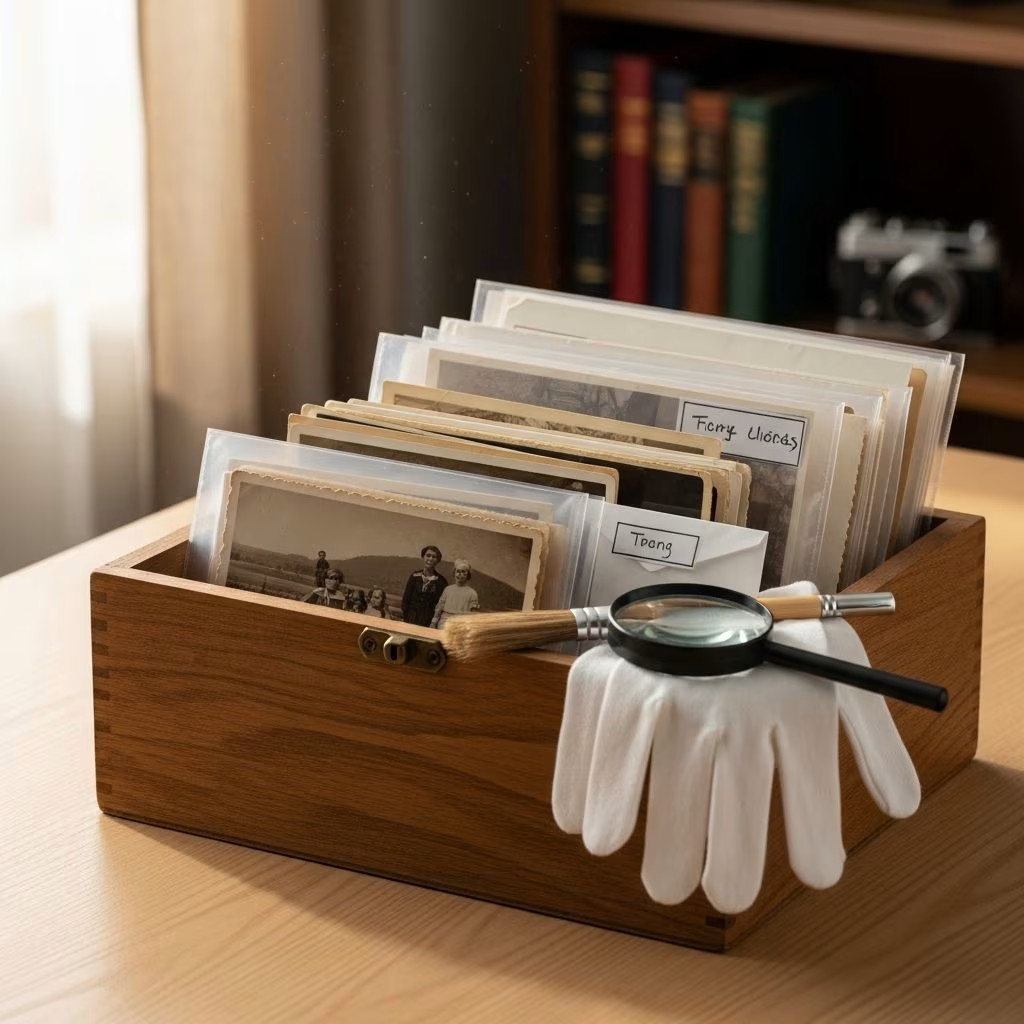
Old photographs hold irreplaceable stories of love, family, and life’s milestones. Whether inherited from grandparents or collected over decades, these images risk fading, crumbling, or being lost forever if not properly cared for. This comprehensive guide outlines practical steps to rescue, digitize, restore, store, and share your precious photos, ensuring memories endure for future generations.
Handling Old Photographs Safely
Before any preservation effort, handle photos with extreme care to avoid further damage. Oils from bare hands can transfer to surfaces, causing discoloration over time. Always wear clean cotton gloves or use acid-free handling tools when touching vintage prints.
- Avoid direct contact: Hold photos by edges only, using tweezers or gloves to prevent fingerprints and smudges.
- Work in clean environment: Dust-free surfaces prevent particles from embedding into emulsions.
- Flatten gently: For curled photos, place between acid-free paper under light weights for days, never forcing bends.
Improper handling accelerates deterioration, so treat each photo as a fragile artifact. Family anecdotes reveal how simple touch led to permanent stains on heirloom images.
Ideal Storage Conditions
Maintaining optimal environmental conditions is crucial for long-term preservation. According to the Library of Congress (LOC), store photos at 68°F (20°C) with 30-40% relative humidity to prevent chemical breakdown.
| Factor | Recommended Range | Risks of Non-Compliance |
|---|---|---|
| Temperature | 68°F / 20°C | Heat accelerates fading; cold causes brittleness |
| Humidity | 30-40% RH | High: Mold growth; Low: Cracking |
| Light | Dark storage | UV exposure fades colors irreversibly |
| Air Quality | Pollution-free | Acidic gases yellow prints |
Avoid attics, basements, or garages where temperature fluctuates wildly. Use climate-controlled spaces like closets with silica gel packets for humidity control. Archival boxes from museum suppliers provide acid-free protection against pests and dust.
Scanning Your Photos
Digitization creates backups immune to physical decay. Invest in a flatbed scanner with at least 600 DPI resolution for sharp, detailed files suitable for enlargements.
- Equipment choices: Epson Perfection series excels for photos; Canon offers budget options with good software.
- Settings: TIFF format preserves full data (avoid JPEG compression); scan at 300-600 DPI for prints, 1200+ for slides/negatives.
- Batch process: Organize scans into folders by year, event, or person immediately after capture.
HP’s scanning guides emphasize previewing for dust removal and color correction during setup. For large collections, outsource to services like ScanCafe, but verify their archival standards first.
Editing and Restoring Digitally
Once scanned, basic edits revive faded or damaged images without altering originals. Free tools suffice for beginners; advanced software unlocks professional results.
| Software | Platform | Best For | Cost |
|---|---|---|---|
| Windows Photo Gallery | Windows | Basic fixes: Color, contrast | Free |
| iPhoto/Photos | Mac | Simple retouching, organization | Free |
| Adobe Photoshop | Both | Advanced: Clone stamp, healing brush | Subscription |
| GIMP | Both | Free Photoshop alternative | Free |
Start with levels adjustment for exposure, then spot healing for tears or scratches. PC World tutorials detail clone tool techniques for removing creases. Preserve originals by working on copies—label files with ‘_restored’ suffixes. For complex damage like water stains, consult professionals to avoid over-editing that erases authenticity.
Organizing Digital Files
Scanning yields thousands of files; systematic organization prevents chaos. Adopt a consistent naming convention like YYYY-MM-DD_Event_Person.jpg.
- Folder structure: Year > Event > People (e.g., 1950s/Wedding/Grandparents).
- Metadata embedding: Use EXIF tools to add captions, dates, locations non-destructively.
- Backup strategy: 3-2-1 rule—3 copies, 2 media types, 1 offsite (external HDD + cloud).
Evernote or Lightroom catalogs enable search by tags like ‘beach vacation 1972.’ Family input solves ‘mystery photos’—scan and email to relatives for identification stories.
Archival Storage Solutions
Physical originals demand museum-grade protection. Acid-free sleeves, boxes, and albums prevent chemical migration that yellows prints.
- Polyester sleeves: Mylar or polypropylene keep photos fingerprint-free.
- Albums: Post-bound with acid-free pages; avoid magnetic sticky albums.
- Boxes: Metal-edged for stacks; include dividers labeled on tabs, not backs.
Store negatives separately in glassine envelopes. For downsizing, digitize then donate duplicates—stories matter more than multiples. Public storage units offer climate control for overflow collections.
Sharing Memories Creatively
Preservation includes sharing. Burn DVDs or use USB drives for family distribution, but prioritize prints for tangible joy.
- Online printing: Shutterfly, Snapfish for custom books with captions and themes.
- Scrapbooking: Acid-free materials; protective sheets for handling.
- Digital shares: Private Flickr albums or Google Photos for collaborative captioning.
Printed photo books become heirlooms, far superior to social media posts that vanish. Personal historians recommend audio recordings of photo stories for vivid context.
Advanced Preservation Tips
Beyond basics, protect against disasters:
- Offsite cloud backups (Google Drive, Backblaze) guard against fire/flood.
- Annual reviews: Check for mold, pests; refold brittle items.
- Document details: While elders live, record who/what/when/where/why per photo.
Association of Personal Historians offers resources for storytelling integration. Never write on photo backs—use sleeves or digital notes.
Frequently Asked Questions (FAQs)
Q: What temperature and humidity preserve photos best?
A: Library of Congress recommends 68°F and 30-40% relative humidity to slow chemical degradation.
Q: Can I use free software for restoration?
A: Yes, Windows Photo Gallery or GIMP handles basic edits like color correction and spot removal effectively.
Q: How do I organize mystery photos?
A: Share scans with family at gatherings; use events like wakes for identifications and stories.
Q: What’s the best backup strategy?
A: Follow 3-2-1: Three copies on two media types, one offsite like cloud storage.
Q: Should I throw away duplicates after scanning?
A: Yes, if originals are preserved; focus on stories over excess physical copies.
Q: How to handle curled photos?
A: Flatten slowly between acid-free sheets under weights; never wet or force.
References
- Maintaining Memories: How to Save Old Photographs — Wise Bread. 2012-01-01. https://www.wisebread.com/maintaining-memories-how-to-save-old-photographs
- 12 Smart Ways to Organize Old Photos — Wise Bread. 2012-01-01. https://www.wisebread.com/12-smart-ways-to-organize-old-photos
- Keep the Memories, Lose the Stuff: Sort Through Pictures and Documents — Better Humans (Medium). 2018-01-01. https://betterhumans.pub/keep-the-memories-lose-the-stuff-sort-through-pictures-and-documents-abc0f1cf4c27
- Preserving Historic Records (Chapter 3: Photographs) — Library of Congress (via referenced guidelines). 2023-03-15. https://www.loc.gov/preservation/care/photog.html
- Photograph Preservation Guidelines — Northeast Document Conservation Center. 2022-06-01. https://www.nedcc.org/free-resources/preservation-leaflets/5.-photographs/5.3-photograph-preservation-basics
This article is general information, not personal financial advice. Consider your own situation, or speak with a licensed adviser, before acting on it.


