

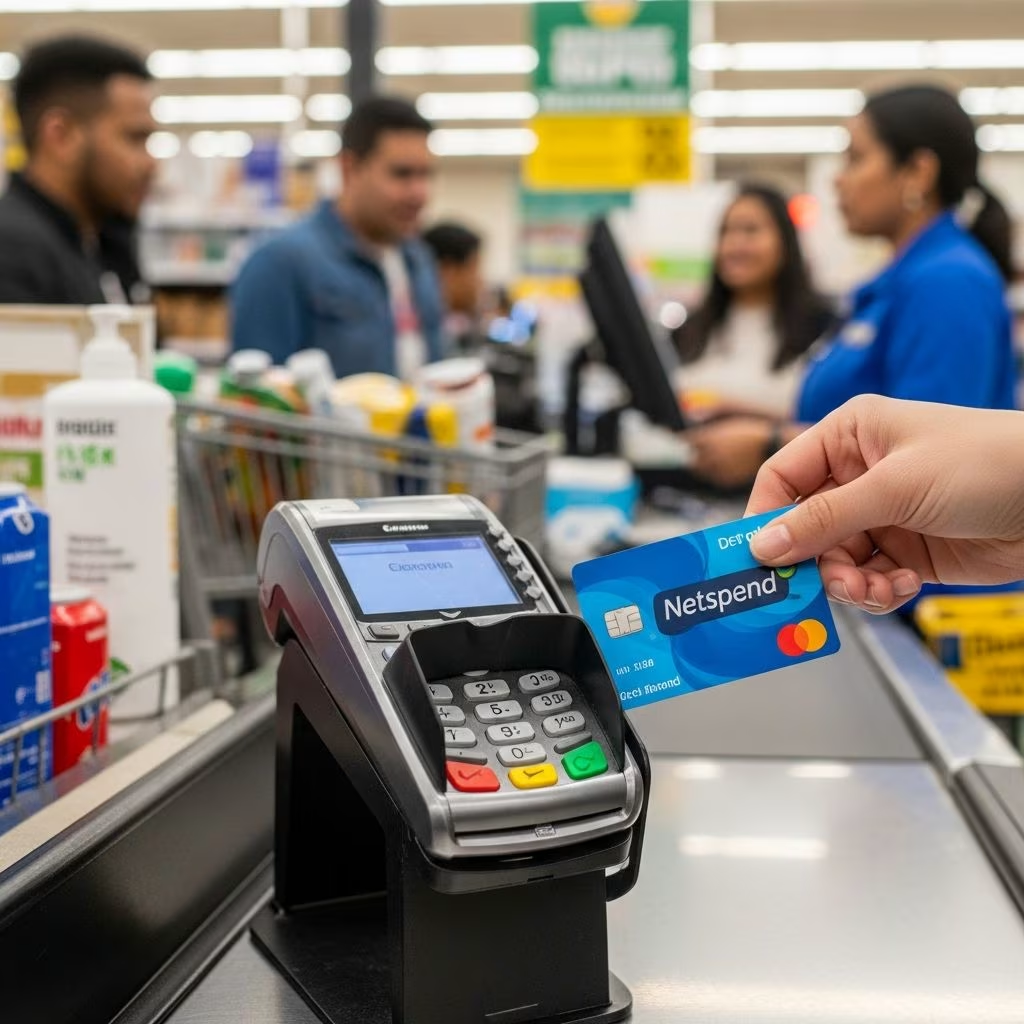
Where Can I Reload My Netspend Card?
A Netspend prepaid card offers convenience and flexibility for managing your finances, but to use it effectively, you need to know how to add funds to your account. Whether you’re getting paid through direct deposit, receiving a tax refund, or simply need to add cash, understanding your reload options is essential. This comprehensive guide covers all the ways you can reload your Netspend card, where to do it, what fees to expect, and how to minimize costs.
Reload Locations: Finding Convenient Places Near You
One of the biggest advantages of having a Netspend card is the extensive network of reload locations available across the United States. With over 130,000 reload locations nationwide, you’re likely to find a convenient place to add funds to your account regardless of where you live or travel. These locations include major retailers, grocery stores, gas stations, convenience stores, and pharmacies.
To find a reload location near you, visit the Netspend Reload Center Locator on the official Netspend website or use the Netspend mobile app. Simply enter your ZIP code or city and state, and the system will display all available reload locations in your area. The locator is particularly useful because it shows you the reload fees charged at each location, allowing you to compare options and choose the most cost-effective solution.
The location finder offers filtering options to help you find exactly what you’re looking for. You can filter results to show all available locations, identify no-fee reload locations, or find retailers where you can purchase a new Netspend card. This flexibility makes it easier to manage your reloading preferences based on your budget and convenience.
Popular Retailers That Accept Netspend Reloads
Many of the retailers you visit regularly likely offer Netspend reload services. Here are some of the most popular chains that accept Netspend cards at select locations:
| Retailer | Typical Reload Fee |
|---|---|
| 7-Eleven | $3.95 |
| Circle K | $3.95 |
| CVS | $3.95 |
| Dollar General | $3.95 |
| Dollar Tree | $3.95 |
| Food Lion | $3.95 |
| Publix | $3.95 |
| Walgreens | $3.95 |
| Walmart | $3.74 |
| Winn-Dixie | $3.95 |
Keep in mind that reload fees can vary by location, and some retailers may charge different fees than those listed above. This is why using the Netspend Reload Center Locator is so valuable—it provides current fee information for specific locations near you.
Understanding Netspend Reload Fees
Reload fees are an important consideration when choosing where to add funds to your Netspend card. Most locations charge a reload fee, though the amount varies by retailer and location. According to Netspend’s official information, reload fees typically range from zero to $3.95 per transaction.
The variation in fees means you could save money by shopping around. For example, reloading at Walmart may cost $3.74, while many other retailers charge $3.95. If you reload frequently, these small differences can add up over time. Some locations may not charge a reload fee at all, making them the most economical choice if one is available in your area.
It’s worth noting that reload fees apply only when you add cash at a physical retail location. Other methods of adding funds to your Netspend card may have different fee structures or no fees at all.
Free and Low-Cost Ways to Reload Your Netspend Card
If you’re looking to avoid reload fees altogether, several options are available to help you save money while still keeping your Netspend card funded.
Direct Deposit
One of the best ways to load money onto your Netspend card without paying any fees is through direct deposit. If your employer or a government agency offers direct deposit services, you can set up your Netspend account to receive your paycheck or benefits directly. Direct deposit is completely free and offers an additional benefit: you can receive your paycheck up to two days earlier than with a traditional paper check. Simply provide your Netspend account information to your employer or benefits provider, and the funds will be automatically transferred to your card on your regular pay schedule.
Mobile Check Deposits
Another fee-free reload option is depositing checks through the Netspend mobile app. This convenient feature allows you to deposit checks by taking photos of the front and back with your smartphone. Depending on the processing time you select, mobile check deposits typically don’t incur any fees, making them an excellent option for receiving refunds or other payments via check.
PayPal Transfers
If you have a PayPal account, you can transfer funds to your Netspend card without paying reload fees. This is particularly useful if you receive payments through PayPal or prefer to manage your money through that platform. Simply link your Netspend card to your PayPal account and transfer the desired amount.
Bank Transfers
You can also add money to your Netspend card through bank transfers from another financial institution. If you have a checking or savings account or a bank debit card from virtually any U.S. bank, you can transfer funds to your Netspend account. While some transfer methods may assess a fee, many banks offer this service for free, especially if you already have an account with them.
Step-by-Step Guide to Reloading Your Netspend Card
The process of reloading your Netspend card at a retail location is straightforward and typically takes just a few minutes. Here’s what you need to know:
Step 1: Find a Reload Location Use the Netspend Reload Center Locator to find a participating retailer near you. Enter your ZIP code or city and state to see all available options and their fees.
Step 2: Bring Your Netspend Card and Cash Visit your chosen reload location with your Netspend card and the cash amount you want to add to your account.
Step 3: Complete the Transaction Tell the cashier you want to reload your Netspend card. Provide your card and the cash amount. The cashier will process the transaction, which typically takes just a few minutes.
Step 4: Confirm Your Reload Check your receipt and verify that the correct amount has been added to your card. The funds should be available in your account immediately or within a short time frame.
Reload Processing Times and Limits
When you reload your Netspend card, it’s helpful to understand how long the process takes and what limits might apply. At retail reload locations, funds are typically added to your account immediately or within a very short time frame. This makes retail reloads ideal when you need quick access to your money.
For other reload methods, processing times can vary. Bank transfers and online transfer methods typically take 1-3 business days to process. Direct deposit follows your employer’s standard pay schedule. Mobile check deposits may take slightly longer depending on the processing option you select.
Regarding reload limits, specific maximum amounts are not published on the Netspend website. Instead, limits vary depending on your program type and the reload method you’re using. To find out your personal reload limits, check your online Netspend account or review information in the Netspend mobile app. You can also contact Netspend customer service at 1-866-387-7363 for personalized limit information.
Getting Your First Netspend Card
Before you can reload a Netspend card, you need to obtain one. There are two primary ways to get a Netspend card:
Online Order You can sign up for a Netspend card directly on the Netspend website at no cost. Your card will arrive in the mail within 7-10 business days. Once it arrives, you’ll need to activate it by following the printed activation and identity verification instructions that come with your card.
Retail Purchase If you need a card immediately, you can purchase one at participating retailers such as Walmart, CVS, Dollar General, 7-Eleven, and Family Dollar. A purchase fee of up to $9.95 may apply when buying a card at a retail location, but you can begin using your card within minutes of purchase if you have access to reload it immediately.
Different Netspend Card Options
Netspend offers several different card products, and understanding which one you have can help you better manage your reloads and fees. The main options include:
Netspend Prepaid Card This is the standard Netspend card available at most retail locations. It typically comes with a monthly fee structure or pay-as-you-go fees depending on your specific program.
Netspend Debit Account This premium option offers additional benefits including faster direct deposits (up to 2 days early), high-yield savings, and optional overdraft protection. This account may have different fee structures than the basic prepaid card.
Pay As You Go Card This option doesn’t include a monthly fee. Instead, you pay per transaction—typically $1 or $3 per purchase, depending on whether you choose credit or debit at checkout.
Both traditional and pay-as-you-go options are subject to ATM, reload, and several other fees. You can find a complete list of fees for your specific Netspend card on the company’s website or by logging into your account.
Making the Most of Your Netspend Rewards
In addition to finding convenient reload locations, Netspend cardholders can earn cash back through the Netspend Rewards program. By registering your card and checking your account, you can access personalized offers and deals. This means that while you’re managing your funds and reloading your card as needed, you can also earn money back on everyday purchases.
Frequently Asked Questions About Netspend Reloads
Q: Can I reload my Netspend card at an ATM?
A: No, ATMs cannot be used to reload a Netspend card. However, you can reload at over 130,000 retail locations across the U.S., or use alternative methods such as direct deposit, bank transfers, or mobile check deposits.
Q: How long does it take for funds to appear after reloading my Netspend card?
A: At retail reload locations, funds are typically available immediately or within minutes. For other methods like bank transfers and online transfers, it can take 1-3 business days. Direct deposit follows your employer’s pay schedule.
Q: What is the maximum amount I can reload onto my Netspend card?
A: Specific limits vary depending on your program or reload method. Check your online Netspend account or mobile app for your personal limits, or contact customer service at 1-866-387-7363.
Q: Are there any free reload options for my Netspend card?
A: Yes, several free reload options exist including direct deposit, PayPal transfers, mobile check deposits, and bank transfers. Some retail locations may also offer no-fee reloads; use the Netspend Reload Center Locator to find them.
Q: Why do reload fees vary between locations?
A: Reload fees are set by individual retailers and can vary based on their operating costs and business model. Fees range from zero to $3.95, which is why comparing locations using the Netspend Reload Center Locator can help you save money.
Q: Can I reload my Netspend card using a credit card or another prepaid card?
A: Generally, you can reload using bank accounts or bank debit cards, but the ability to use credit cards or other prepaid cards may be limited. Check with your specific reload location or contact Netspend customer service for details about your particular situation.
Q: How do I find the cheapest reload location in my area?
A: Use the Netspend Reload Center Locator on the Netspend website or mobile app. Enter your location and the tool will display all reload options sorted by fee, allowing you to find no-fee or lowest-fee locations.
References
- Reload Locations — Netspend. 2025. https://www.netspend.com/reload-locations
- Ways to Load Your Netspend Account — Netspend. 2025. https://www.netspend.com/add-money
- How Do I Add Money to My Netspend Card? — Netspend Help Center. 2025. https://www.netspend.com/help/faqs/334878/1615723
- Where Is the Lowest Cost Reload Location Nearest to Me? — Netspend Help Center. 2025. https://www.netspend.com/help/faqs/334878/1615746
- Where Can I Load My Netspend Card? — GOBankingRates. 2025. https://www.gobankingrates.com/banking/checking-account/where-can-i-load-my-netspend-card/
- Netspend Prepaid Card Overview — Netspend. 2025. https://www.netspend.com
- How to Load Money on a Netspend Prepaid Card — Eric Bank Blog. 2024. https://www.ericbank.com/blog/post/2319974/how-to-load-money-on-a-netspend-prepaid-card
This article is general information, not personal financial advice. Consider your own situation, or speak with a licensed adviser, before acting on it.


