

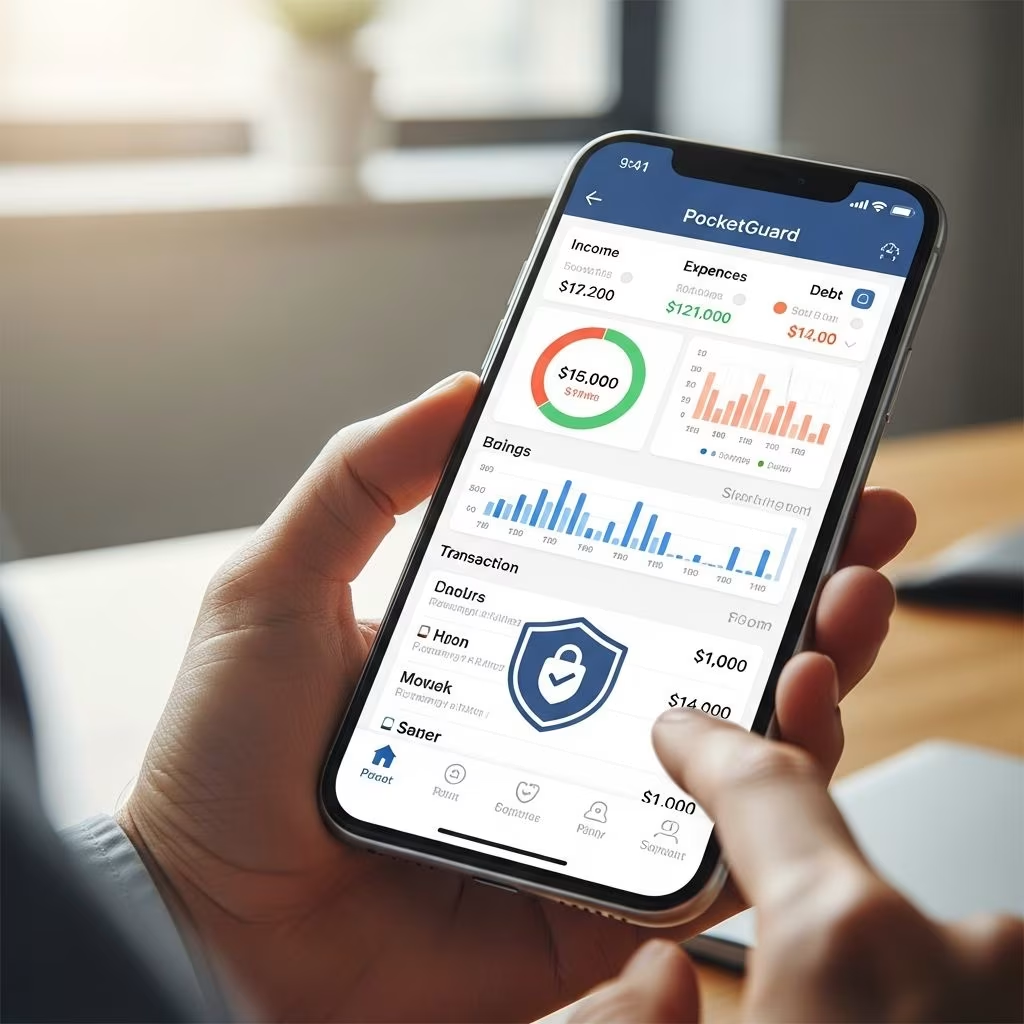
PocketGuard stands out as a user-friendly budgeting tool that automates expense tracking and provides a clear picture of available spending money after essentials. By linking financial accounts, it calculates a daily “Leftover” amount, helping users avoid overspending while prioritizing bills and savings.
Why Choose PocketGuard for Financial Oversight?
In today’s fast-paced world, managing finances manually can be overwhelming. PocketGuard addresses this by connecting to over 18,000 financial institutions via secure partners like Plaid and Finicity. Users link checking, savings, credit cards, loans, and investments, allowing the app to import and categorize transactions automatically. This setup creates a budget framework based on income minus recurring costs, offering real-time insights without constant input.
The app’s strength lies in its simplicity. Instead of juggling multiple categories, it boils down finances to one key metric: how much discretionary money remains each month. This approach suits beginners and those prone to impulse buys, as it simplifies decision-making on the go.
Core Features That Drive Everyday Use
PocketGuard’s toolkit focuses on automation and visualization to make budgeting intuitive.
- Leftover Calculation: The flagship feature subtracts bills, savings goals, and subscriptions from income, revealing spendable funds. Updated daily, it prevents budget overruns by showing exact limits.
- Automated Categorization: Transactions sort into groups like groceries or entertainment. Users can customize categories or tag merchants for accuracy, reducing manual edits.
- Bill and Subscription Tracking: Identifies upcoming payments and recurring charges, alerting users to potential shortfalls.
- Custom Goals: Premium users set savings targets with automated contributions, tracking progress visually.
These elements combine to offer a dashboard with pie charts, spending trends, and monthly summaries, making data digestible at a glance.
Premium Upgrades: PocketGuard Plus Explained
The free version offers basic tracking but limits advanced tools, pushing most users toward PocketGuard Plus at $74.99 yearly or $12.99 monthly. Upgrading unlocks:
| Feature | Free Tier | Plus Tier |
|---|---|---|
| Unlimited Accounts | Limited | Full Access |
| Debt Payoff Planner | No | Yes (Snowball/Avalanche) |
| Custom Goals | No | Unlimited |
| Advanced Reports | Basic | Detailed Analytics |
| Transaction Rollback | No | Yes |
The debt planner integrates balances into budgets, suggesting payoff strategies like snowball (smallest debts first) or avalanche (highest interest first). It auto-allocates funds, streamlining repayment.
Setting Up Your PocketGuard Experience
Getting started takes minutes. Download from app stores, sign up, and connect accounts securely. The app scans 90 days of history to baseline your finances, then generates initial Leftover figures. Users appreciate the seamless onboarding and ability to exclude internal transfers or refunds from spending tallies.
Customization options include pie-chart views of habits, merchant-specific rules, and shared access for couples. iOS and Android versions sync reliably, with high ratings for interface clarity.
User Experiences: Real-World Performance
Feedback highlights PocketGuard’s accuracy in logging expenses, often outperforming rivals. One user noted, “It calculates estimated monthly funds perfectly and handles custom categories effortlessly.” Couples praise transfer-hiding features that keep budgets clean.
Common praises include goal automation and visual stats. However, some report occasional categorization errors needing tweaks, and free tier frustrations.
“PocketGuard lets you hide transfers easily, avoiding budget confusion from account moves.”
Pros and Cons at a Glance
- Pros: Intuitive Leftover metric, strong automation, affordable premium, debt tools.
- Cons: Free version restrictive, potential miscategorizations, no web version.
Comparing PocketGuard to Top Competitors
PocketGuard excels in simplicity over feature-heavy apps like YNAB, which demands manual input. Versus Mint, it offers better debt planning but fewer free ads. For overspenders, its single-number focus trumps category-based trackers.
| App | Key Strength | Pricing | Best For |
|---|---|---|---|
| PocketGuard | Leftover Calc | $74.99/yr | Overspenders |
| YNAB | Zero-Based Budget | $99/yr | Disciplined Users |
| Mint | Free Tracking | Free | Basics |
Is PocketGuard Worth the Subscription?
At under $6 monthly annually, Plus delivers value for active budgeters. It shines for those needing quick insights over deep customization. Free trials let users test before committing.
Frequently Asked Questions
Is PocketGuard safe for linking accounts?
Yes, it uses bank-level encryption via Plaid and Finicity, supporting 18,000+ institutions without storing credentials.
Can I use PocketGuard for free?
The basic version tracks limited accounts but lacks premium tools like debt payoff and goals.
Does it support joint budgeting?
Premium allows shared access for households.
How accurate is transaction categorization?
Highly accurate with user tweaks; handles merchants persistently.
What if I have multiple debts?
Plus auto-integrates them with payoff strategies.
Final Thoughts on Streamlining Your Budget
PocketGuard transforms complex finances into actionable steps, ideal for real-time control. Its automation and Leftover feature empower smarter choices, though premium access maximizes benefits. Download and link accounts to see your spending potential clarified instantly.
References
- PocketGuard Budget App Review — Experian. 2024. https://www.experian.com/blogs/ask-experian/pocketguard-budgeting-app-review/
- PocketGuard・Budget Planner App — Google Play Store. 2026-03-31. https://play.google.com/store/apps/details?id=com.pocketguard.android.app&hl=en_US
- PocketGuard Review Updated for 2025 — YouTube (Marriage Kids and Money). 2025. https://www.youtube.com/watch?v=Ar8GVKVUkb4
- PocketGuard – Budgeting App Reviews — Apple App Store. 2026. https://apps.apple.com/us/app/pocketguard-budgeting-app/id949414211?see-all=reviews&platform=undefined
- PocketGuard Reviews for 2025 — PocketGuard.com. 2025. https://pocketguard.com/reviews/
This article is general information, not personal financial advice. Consider your own situation, or speak with a licensed adviser, before acting on it.


